
-
×
 Cressi Gorilla Backpack
$169.99
Cressi Gorilla Backpack
$169.99 -
×
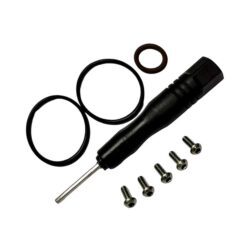 Shearwater Swift Service Kit
$60.00
Shearwater Swift Service Kit
$60.00

Shearwater Teric Charger Dock – Wireless
$85.00 inc. GST

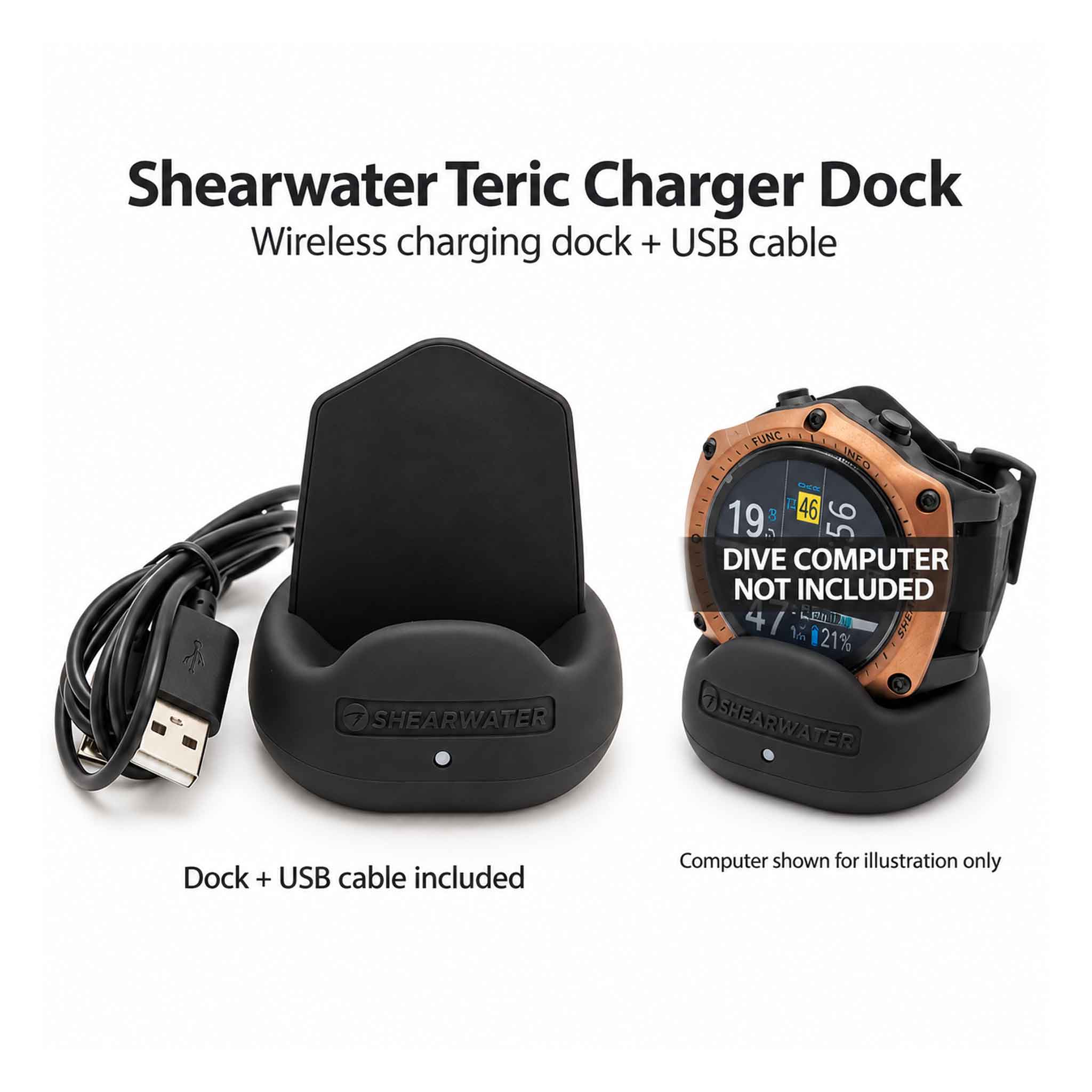
This genuine Shearwater Teric wireless charging dock includes a USB-A to Micro-USB cable for connection to a suitable power source. A replacement or spare charging stand for the Teric, part 15016. Dive computer sold separately.
Colour: Black
SKU: 15016
Out of stock
Notify me when item is back in stock.
Shearwater Teric Charger Dock – Wireless Charger with USB Cable
Keep your dive computer charged and ready for your next adventure with the Shearwater Teric Charger Dock. This genuine Shearwater replacement charging stand is designed for the Teric dive computer and includes a USB-A to Micro-USB cable for convenient connection to a suitable USB power source.
Simply place your Teric on the dock to recharge its internal battery wirelessly. There’s no need to plug a cable directly into the dive computer or open its battery compartment, making charging straightforward between dives.
Whether you’re replacing a lost charger or keeping a spare in your travel kit, this compact charging dock is a practical addition to your Shearwater accessories.
Features & Benefits
- Genuine Shearwater accessory: Designed for the Shearwater Teric dive computer.
- Wireless charging: Recharges the Teric’s internal battery while it rests on the dock.
- Dedicated charging stand: Supports your dive computer during charging.
- USB cable included: Supplied with a USB-A to Micro-USB cable.
- Convenient spare or replacement: Keep one at home and another packed for your next dive trip.
Specifications
| Specification | Details |
|---|---|
| Brand | Shearwater Research |
| Product | Teric Charger Dock |
| Manufacturer part number | 15016 |
| Compatibility | Shearwater Teric |
| Charging method | Wireless |
| Included | Charging dock and USB-A to Micro-USB cable |
Shearwater Teric dive computer sold separately.
Shop the Shearwater Teric Charger Dock at Dive Gear Australia online or visit our Hallam dive store.
How the Features Help
- Correct charging connection: The dedicated cable, adapter or dock matches the listed instrument. Use it with the power supply specified by the manufacturer and check that contacts and connectors are clean and dry.
Technical Specs
| Brand | Shearwater Research |
|---|---|
| Product | Teric Charger Dock |
| Manufacturer part number | 15016 |
| Compatibility | Shearwater Teric |
| Charging method | Wireless |
| Included | Charging dock and USB-A to Micro-USB cable |
Compatibility and Use
Match the exact instrument model, generation, part number and attachment arrangement before ordering. Listed compatibility applies to the identified accessory, not every product from the same brand. Check the supplied items and follow the instrument’s installation or service procedure.
Gear Care and Maintenance
Keep the charger, interface, cables and power source dry. Wipe exterior surfaces with a soft cloth as instructed; do not immerse electrical accessories or connect them while wet. Rinse the dive computer separately using its own care instructions.
Inspect connectors, contacts and cable insulation before use. Store unplugged and dry, without sharply bending cables or loading the connector. Use only the compatible instrument and the manufacturer’s specified power and software arrangement.
We dispatch orders five days a week, usually within 1–3 days. Standard mainland Australian shipping is $20. Click & Collect from our Hallam store is free once your order is ready.
- Large or bulky gear: additional freight charges apply on top of standard shipping: large dive bags $30; long freediving fins $15; long spearguns $20. Scuba tank freight is shown at checkout.
- Rural, remote & offshore: rural means anywhere outside metropolitan areas. Carrier availability and additional charges may apply, including for island and territory destinations. Our team will contact you if an extra freight quote is needed.
The available delivery rate for your order is shown at checkout.
We offer a 30-day exchange on most unused products within Australia when they are in saleable condition with their original packaging and accessories. Please contact us with your order number before returning an item. Change-of-mind refunds are not offered; this does not limit your rights for faulty products under Australian Consumer Law.
FREE CLICK & COLLECT
Usually ready same day*
Select local pickup at checkout. We will email you when your order is ready. Please wait for your ready-to-collect confirmation before visiting, then bring your confirmation email and photo ID.
Collect from our Hallam store
Factory 4 / 56–60 Hallam South Rd
Hallam VIC 3803
*For items in stock at our Hallam store during opening hours, subject to order processing. Available-to-order and special-order items take longer. Collection is unavailable while the store is closed.
Can I collect my order from the store?
Yes. Choose free local pickup at checkout and wait for your ready-to-collect email before visiting our Hallam store. Bring your confirmation and photo ID. See Click & Collect details.
How do I choose the right size?
Use the product's size chart where available and compare your measurements with the guide for that brand. Sizing varies between brands and products. If you are unsure, contact our team before ordering and we can help you choose.
How do I check availability?
Select your required options, such as colour and size, to see availability for that variation. If an item is marked “Available to order”, check the estimated dispatch information. Please contact us before ordering if you need gear by a particular date.
When will my order be dispatched?
Orders are usually dispatched within 1–3 days, subject to stock availability. Available-to-order and special-order products may take longer. Delivery time is separate from dispatch time and depends on your location and the carrier. Read our shipping information.
Can I exchange an item if it does not fit?
We offer a 30-day exchange policy on most unused products within Australia, subject to eligibility. Contact us with your order number before returning an item. Read the exchange conditions and next steps.
Can you help me choose the right gear?
Yes. Call 03 9702 3694 during store hours or email [email protected]. Tell us which product you are considering and how you plan to use it.
Similar products
View all Dive Computer Accessories

Price range: $220.00 through $260.00 inc. GST
This product has multiple variants. The options may be chosen on the product page


10%

Original price was: $110.00.$99.00Current price is: $99.00. inc. GST